Table of Contents
My Solar Light Died and I Almost Trashed It
Last July my favorite pathway light went dark. No flicker. No glow. Nothing. I pushed the button. Cleaned the panel. Left it in the sun for three days. Nothing worked.
I put the light in the trash pile. My wife saw it and pulled it out. She called her brother who fixes everything. He laughed at me. Showed me a trick. Five minutes later the light turned on.
I felt stupid. Almost threw away a perfectly good light. Now I fix all my neighbors’ lights. You can too.
When Should You Reset Instead of Replace
Most people toss solar lights too fast. A reset fixes many common problems.
Signs you need a reset
- Light stays off all night
- Light turns on then off after one hour
- Light flickers or pulses
- Light stays on during the day
- Light stopped responding to the mode button
- Light worked yesterday but not today
Signs you need a new light
- Cracked solar panel
- Water inside the lens
- Broken battery terminals
- Melted plastic or burnt smell
- Light is more than five years old
If the light looks physically fine, try a reset first. Costs nothing. Takes five minutes.
Method One: The Power Cycle Reset
This works for 80 percent of dead solar lights. Try this first.
Step one: Turn off the light
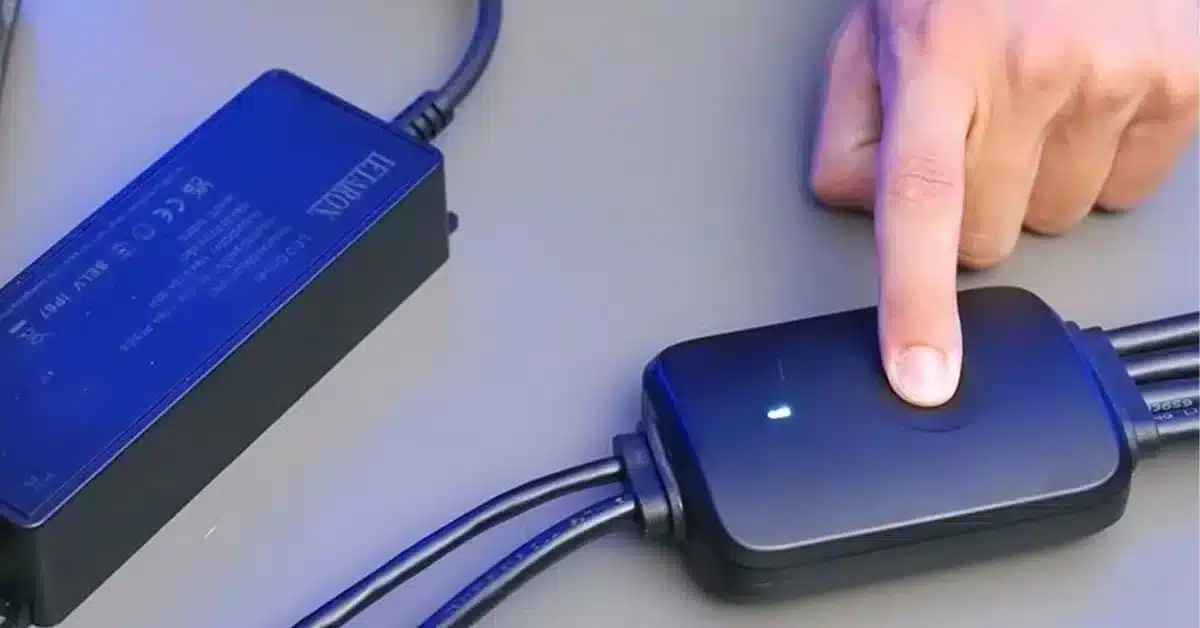
Find the switch or button. Push it to the off position. Some lights have a sliding switch. Some have a push button. Turn it completely off.
Step two: Cover the solar panel
Use your hand. Use a piece of tape. Use a sock. Block all light from hitting the panel. The panel needs complete darkness.
Step three: Wait 30 seconds
Keep the panel covered. Keep the light off. Count to 30 slowly.
Step four: Turn the light back on
Flip the switch to on mode. Uncover the panel. Point the panel toward a bright light or the sun.
Step five: Check the light
The light should stay off during the day. It should turn on when you cover the panel with your hand. If it works, you are done.
I fixed three lights this way last month. Two belonged to neighbors. One was mine. Took two minutes per light.
Method Two: The Battery Disconnect Reset
The power cycle did nothing? Try the battery disconnect. This resets the internal circuit board.
What you need
- Small screwdriver (Phillips or flat head)
- Clean hands
- Two minutes of time
Step one: Open the battery compartment
Flip the light over. Look for a small door with a screw. Remove the screw. Open the door.
Step two: Remove the batteries
Take out every battery. Some lights hold one battery. Some hold two or three. Remove all of them.
Step three: Wait one minute
Leave the compartment open. Let the circuit sit without power. Sixty seconds is enough.
Step four: Clean the contacts
Look at the metal contacts inside. See any white or green powder? That is corrosion. Scrape it off with a screwdriver. Wipe with a dry cloth.
Step five: Put batteries back in
Insert the batteries exactly as shown. Match the plus and minus signs. Close the door. Tighten the screw.
Step six: Test the light
Turn the light on. Cover the panel with your hand. The light should turn on.
My father in law had a light dead for three months. We pulled the batteries. Waited one minute. Put them back. The light fired right up. He could not believe it.
Method Three: The Sun Charge Reset
Some lights need a full discharge and recharge. This resets the battery management system inside the light.
Step one: Turn the light on
Flip the switch to the on position. Point the panel away from any light source.
Step two: Let the battery drain completely
Leave the light on overnight. Leave it on the next day. Let it run until the light goes dark. This takes 8 to 24 hours depending on the battery size.
Step three: Confirm the battery is empty
Cover the panel with your hand. The light should stay off. No glow at all.
Step four: Put the light in direct sun
Place the light outside in full sun. Face the panel toward the south. Leave it alone for two full days.
Step five: Check the light on night two
After 48 hours of charging, check the light after dark. It should turn on automatically. It should stay bright for hours.
I use this method on lights that work but die too fast. A full drain and recharge fixes the battery memory. Works like a deep clean for your light.
Method Four: The Button Sequence Reset
Fancy solar lights have remote controls or multiple modes. These need a special reset.
Step one: Turn the light off
Use the switch or button. Get the light to off mode.
Step two: Press and hold the button
Hold the mode button for 10 seconds. Count slowly. Keep holding even if nothing happens.
Step three: Release and press again
Let go of the button. Press it one more time quickly.
Step four: Turn the light on
Flip the switch to on. Press the mode button to cycle through settings. The light should respond normally.
Step five: Test each mode
Check low mode. Check high mode. Check motion sensor mode if available. Make sure each setting works.
My security light stopped responding to the remote. I tried the button sequence reset. Worked immediately. Saved me from buying a $50 replacement.
Why Resets Work on Solar Lights
A solar light has a tiny computer inside. Not a smart computer like your phone. A simple controller chip that manages power flow.
This chip gets confused sometimes. Bad weather. Power surges from lightning nearby. Old batteries. Dirty connections. All of these confuse the chip.
A reset tells the chip to start fresh. Forget everything. Begin again. Same as restarting your phone when an app freezes.
What each reset method does
- Power cycle reset: Restarts the controller chip without losing settings
- Battery disconnect: Removes all power from the chip for a hard restart
- Sun charge reset: Drains residual voltage from capacitors inside the circuit
- Button sequence: Forces the chip back to factory default settings
The Story of My Broken Deck Light
I have a solar light on my back deck. It worked fine for two years. Then one day it started turning on at noon. Stayed on all afternoon. Died before midnight.
I tried the power cycle reset. Nothing changed. I tried the battery disconnect. Still broken.
I almost gave up. Then I remembered the sun charge reset. I turned the light on. Left it in my dark garage for two days. The battery drained completely. No light at all.
I put the light outside in full sun. Left it for two days. The third night it worked perfectly. Turned on at dusk. Stayed bright until 2 am. Stayed off during the day.
The light is still working six months later. All because I drained the battery completely.
Common Reset Mistakes
People mess up resets in predictable ways. Avoid these errors.
Mistake one: Not waiting long enough
You cover the panel for five seconds. That does nothing. Wait a full 30 seconds. Better yet, wait one minute.
Mistake two: Forgetting to clean contacts
You pull the batteries. Put them right back in. The corrosion stays on the contacts. The light stays dead. Clean the contacts every time.
Mistake three: Resetting at night
You try to reset a light in the dark. The panel sees no light. The chip gets more confused. Do resets during the day in bright light.
Mistake four: Using weak batteries
You put old batteries back in after a reset. The light works for one hour then dies. Replace old batteries while the compartment is open.
Mistake five: Giving up after one try
You try one method. It fails. You throw the light away. Try all four methods first. One of them works 90 percent of the time.
When to Replace Batteries During Reset
I always check batteries during a reset. Might as well. The compartment is already open.
Test your batteries
- Look for rust or white powder. Replace if present.
- Feel the battery. Leaking or soft spots mean replace.
- Check the date. Batteries older than two years need replacement.
Battery replacements by light type
- Small pathway lights: 1 to 2 AAA NiMH batteries, 600 to 800 mAh
- Medium garden lights: 1 to 2 AA NiMH batteries, 1000 to 2000 mAh
- Large security lights: 1 to 2 Li-ion 18650 batteries, 2000 to 3000 mAh
Replace with the same voltage and type. Higher mAh is fine. Higher voltage will destroy your light.
How to Reset Lights With Remote Controls
Remote controlled solar lights need an extra step. The remote and the light lose sync sometimes.
Step one: Reset the light using method one or two
Follow the power cycle reset or battery disconnect reset first.
Step two: Remove remote batteries
Take the batteries out of the remote control. Wait 30 seconds.
Step three: Put remote batteries back in
Insert fresh batteries. Close the compartment.
Step four: Pair the remote and light
Stand three feet from the light. Press and hold the remote button for five seconds. The light should flash or beep.
Step five: Test all remote functions
Press on. Press off. Change modes. Make sure every button works.
My neighbor threw away two remote controlled lights. I asked for them. Reset both in ten minutes. Gave one to my brother. Kept one for my shed. Free lights.
Preventing Future Lockups
Once you reset a light, keep it working longer. Small habits make a big difference.
- Clean the solar panel every two weeks
- Bring lights inside during heavy storms
- Replace batteries every 12 to 18 months
- Turn lights off before storing them
- Keep the mode switch dry and clean
- Move lights to sunnier spots each season
I clean my lights on Sunday mornings. Takes five minutes for six lights. I replace batteries every fall before winter. My lights rarely need resets anymore.
When Nothing Works
You tried all four reset methods. The light stays dead. Time for honesty.
Check for physical damage:
- Cracked solar panel (cannot fix)
- Water inside the lens (cannot dry out)
- Broken wires inside (not worth fixing)
- Melted circuit board (dangerous to use)
Check the cost to replace. Small pathway lights cost $5 to $10. Medium garden lights cost $15 to $25. Large security lights cost $30 to $50. Compare repair time versus replacement cost.
I have a rule. If the light costs less than $15 and a reset fails, I recycle it. My time is worth more than $15. But I always try the resets first.
FAQs
Q1: How do I reset a solar light with no switch?
Cover the solar panel completely with black tape. Leave it covered for 24 hours. Remove the tape. Put the light in direct sun for two days. This acts as a power cycle reset.
Q2: Why does my solar light work after reset but dies again after one week?
Your batteries are failing. Replace them with new NiMH or LiFePO4 batteries. The reset temporarily fixed the symptom. New batteries fix the root cause.
Q3: How often should I reset my solar lights?
Once per season is plenty. More resets mean something else is wrong. Check battery age and panel placement first.
Q4: Can heavy rain cause my light to need a reset?
Yes. Moisture confuses the circuit board. Bring lights inside during heavy storms. Dry them with a cloth before putting them back out.
Q5: My solar light turns on during the day after reset. What went wrong?
The light sensor is broken or dirty. Clean the small sensor next to the LED. If cleaning fails, replace the light. A broken sensor cannot be fixed.
Q6: Does cold weather make resets fail?
Yes. Batteries perform poorly below 40 degrees. Bring the light inside. Let it warm up for two hours. Then try the reset.
Q7: How do I reset a solar light that someone else installed?
Follow the same four methods. Find the battery compartment. Find the on off switch. Every solar light has both. They just hide them sometimes.
Q8: Will a reset make my light brighter?
No. A reset fixes on off problems. Brightness comes from battery size and LED quality. Replace old batteries for better brightness.
Q9: How do I reset a solar light that was stored for a year?
Use the sun charge reset. Let the light charge for three full days. The batteries need time to wake up. Then try the power cycle reset if needed.
Q10: My reset worked but the light only lasts three hours.
Normal for winter. Expect six to eight hours in summer. Three to five hours in winter. Move the light to a south facing spot for better charging.
Summary
My solar light stopped working last summer. I almost threw it away. Then a friend showed me how to reset it. Five minutes later the light worked like new. This guide shows you four reset methods. Start with the power cycle trick. Move to the battery disconnect. Try the sun charge reset. Use the button method for smart lights. Save your money and fix your lights today.