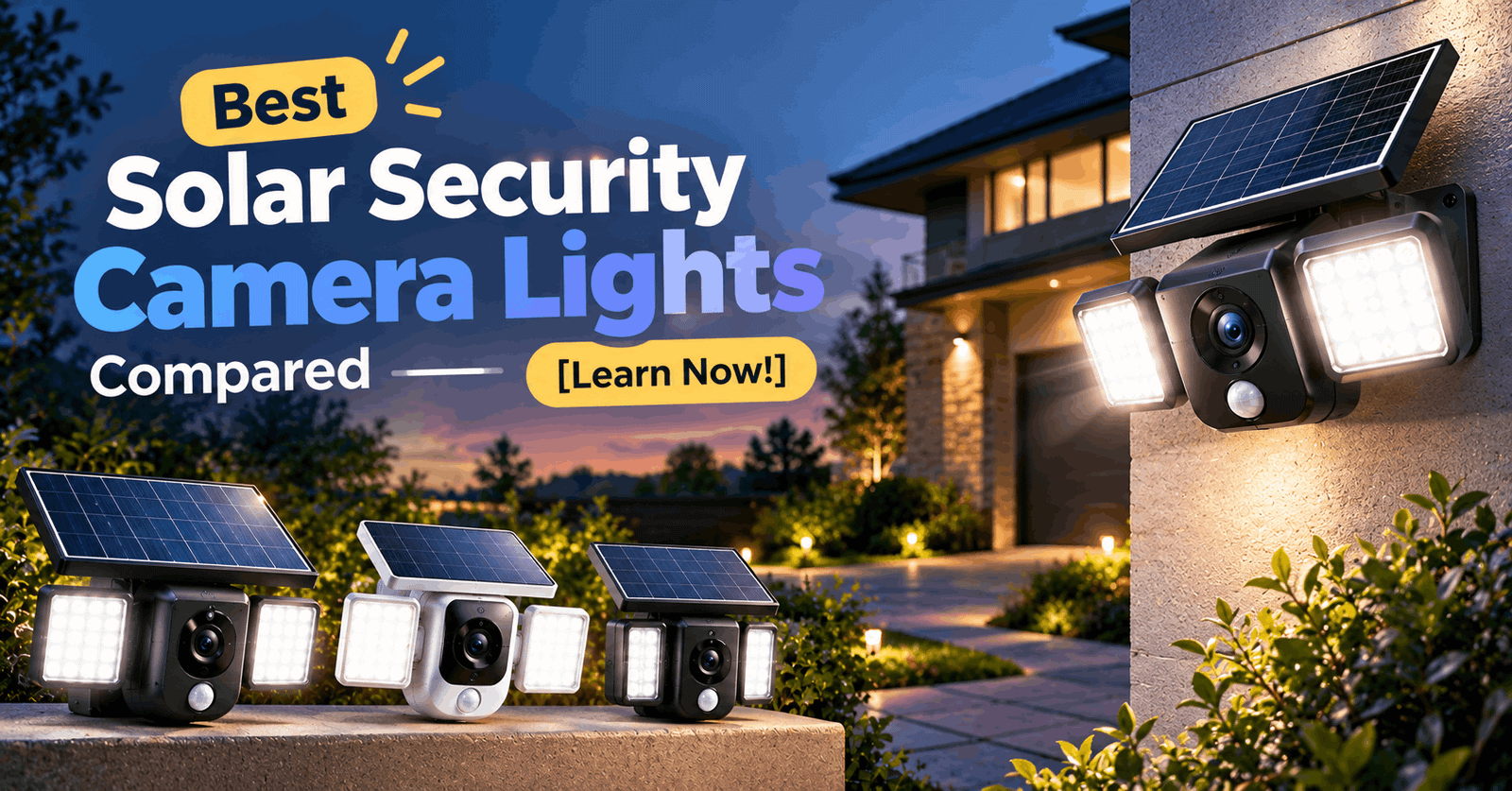
Quick Answer: The best solar security camera for most homes is the eufy SoloCam S340, with dual lenses, 360 degree pan and no monthly fee. Pick the Reolink Argus 4 Pro for a wide 4K view or the Tapo C615F for a solar floodlight, and remember that most lithium batteries stop charging below 32°F.
Wiring a security camera means drilling, ladders and sometimes an electrician. A solar security camera skips most of that. You mount it, point the panel at the sky, and the sun does the rest
The catch is that “solar security camera lights” means three different things. This guide sorts them out and compares five solid options.
One honest note: we did not physically test these cameras. Every spec below comes from manufacturer pages and retailer listings. Prices change weekly, so check the current price before you buy.
Quick Answer: Which Solar Security Camera Should You Buy?
Best for
Pick
Why it wins
Best overall
eufy SoloCam S340
Dual lenses, 360 degree pan, no monthly fee
Best 4K panoramic view
Reolink Argus 4 Pro + Solar Panel 2
Wide 180 degree view, bigger panel
Best solar floodlight
Tapo C615F KIT
Real floodlight, local storage
Best if you use Ring
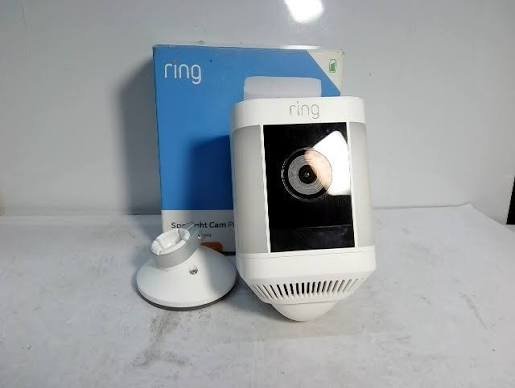
Ring Spotlight Cam Plus Solar
Fits the Ring app and ecosystem
Best add on panel for existing Arlo cameras
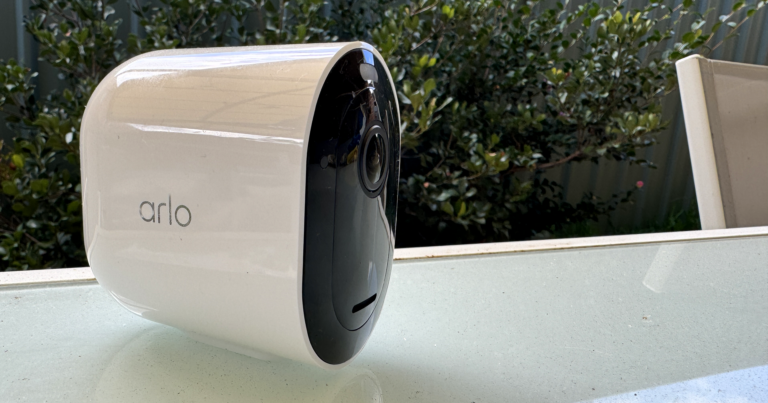
Arlo Pro 5S + Arlo Solar Panel Charger
Panel works across many Arlo models
How We Picked These Cameras
We looked for four things: a solar option that actually ships, clear published specs, a straight answer on subscriptions, and a credible hands on review. We skipped products with vague specs. Where a spec comes from the maker, we say so.
What “Solar Security Camera Lights” Really Means
Search results blur three product types.
Solar cameras with a built in light: the camera and the spotlight or floodlight share one body. This guide mostly covers these.
Solar security lights with a camera attached: these are rarer and usually weaker on video quality.
Solar panels added to cameras you already own: Ring and Arlo both sell panels as accessories.
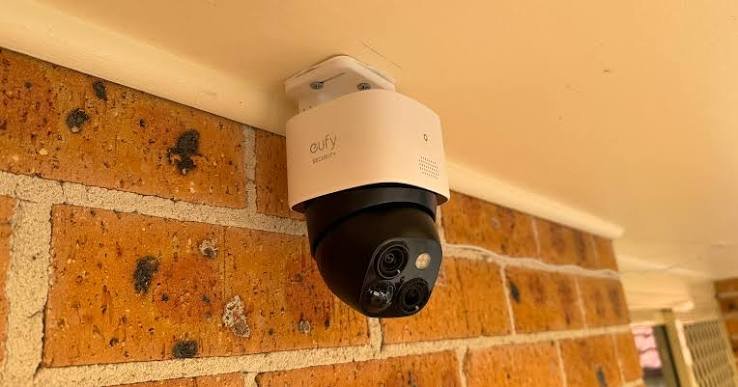
Best Overall: eufy SoloCam S340
This is the pick for most homes. The camera pans 360 degrees, tilts across a 70 degree arc, and carries two high resolution lenses. One lens shoots 3K video and the telephoto lens shoots 2K.
Best for: driveways, side yards and anyone who dislikes subscriptions.
Key specs: the removable 2.2W solar panel can mount on the camera or sit nearby on a cable. Footage goes to 8 GB of built in memory with no monthly fee. The battery lasts about 3 months without solar. It connects over 2.4 GHz WiFi and carries an IP67 weather rating.
Pros: a reviewer reported the battery still at 99 percent after more than two weeks in mixed clouds and sun. Eufy says the panel can collect 600 to 800 mAh per day in optimal sunlight.
Cons: it works on 2.4 GHz WiFi only, so a weak signal at the mounting spot can cause trouble. The 8 GB of storage also fills up, so plan on deleting old clips.
Best 4K Panoramic View: Reolink Argus 4 Pro + Solar Panel 2
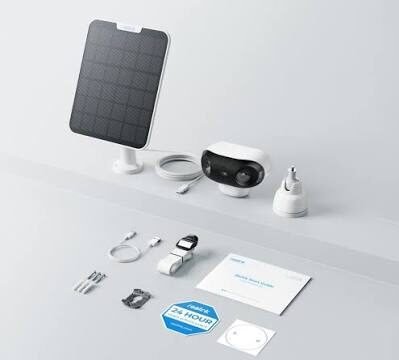
Think of this as a wide angle lens for your whole yard. Two lenses stitch together a 180 degree horizontal view at 5120×1440 resolution. It supports the Reolink Solar Panel 2, rated at 6W.
Best for: open yards and wide driveways where one narrow lens misses the edges.
Panel warning: the Argus 4 Pro needs the Solar Panel 2 (6W, USB C). The older 3W panel uses a different connector and will not fit. Check the bundle before you pay.
Connectivity: it supports dual band 2.4 and 5 GHz WiFi, which gives you more room to work with than a 2.4 GHz only camera.
Pros: huge field of view, a bigger panel and local storage.
Cons: the view is fixed, with no pan or tilt. A reviewer also noted that close subjects near the edges of the stitched view can show some distortion. Winter charging has limits too, which we cover below.
Best Solar Floodlight: Tapo C615F KIT
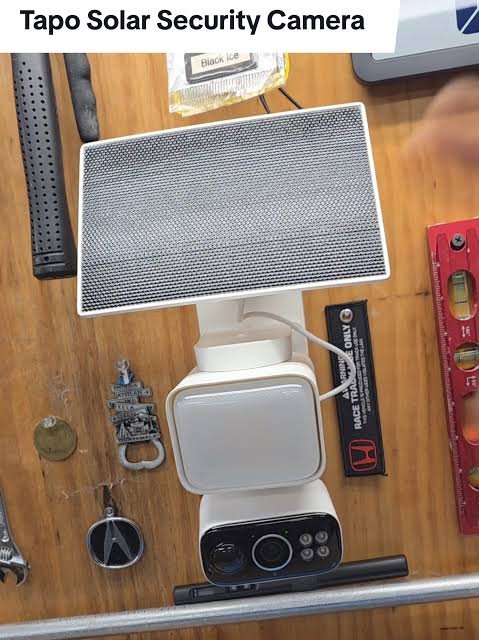
Most “light” cameras have a dim spotlight. This one has a real floodlight. TP Link built in an 800 lumen floodlight and rates both the camera and the panel IP65.
Best for: backyards, side doors and garages where you want the area lit up, not just recorded.
Key specs: a 10,400 mAh battery, dual band WiFi and a 97 dB siren. The camera supports up to 512 GB of free local storage, though you buy the microSD card separately. The included panel tops out at 2.5W, and one panel connects to one camera. Cloud storage needs a paid Tapo Care subscription.
Pros: a floodlight and pan tilt coverage in one wireless unit. TP Link says 45 minutes of direct sun can power the camera for 24 hours. That is the maker’s claim, so treat it as a best case.
Cons: one hands on review notes that 800 lumens will not light a large open yard the way a hardwired floodlight in the 2000 to 2600 lumen range can.
Best If You Already Use Ring: Spotlight Cam Plus Solar
If your doorbell and other cameras live in the Ring app, staying in that ecosystem is convenient. The Spotlight Cam Plus offers color night vision and a pair of motion activated lights. It comes in battery, wired, solar and plug in versions.
Best for: Ring households that want one app for everything.
Subscription math: Ring cameras work without a subscription, but the free tier has no cloud storage or recording. Paid plans start at $4.99 a month for one camera and $9.99 a month for unlimited cameras at one address. Over three years, a single camera plan adds about $180 to the hardware price. That is simple arithmetic on the listed monthly price, and it is worth doing for any camera that locks recording behind a plan.
Panel note: Ring sells USB C solar panels as separate accessories, listed at $39.99 for the small panel and $47.99 to $59.99 for the standard one.
Best Add On Panel for Existing Arlo Cameras: Arlo Pro 5S
Already own Arlo cameras? A panel may be all you need. Arlo’s Solar Panel Charger works with the Essential series, Pro 3, 4, 5S and 6, Ultra, Floodlight and Go 2 cameras. The Pro 5S 2K itself starts from $179.99 on Arlo’s site.
Trade off: a retailer listing describes Arlo’s mounted panel as a trickle charger. It tops up a battery. It will not rescue one that a busy camera drains quickly.
Know before you buy: basic features work without a subscription, and a trial plan unlocks premium features like 30 day cloud storage. Check Arlo’s current plan pricing, since it varies by plan and billing.
What to Know Before Buying a Solar Security Camera
Sunlight: Peak Sun Hours Explained
A peak sun hour is one hour of sunlight at full strength. It equals 1 kWh per square meter, so a place getting 5 kWh/m² a day has 5 peak sun hours. The number of sunny hours on your weather app is not the same thing.
Where you live matters. Illinois averages 3 to 4 peak sun hours a day, while Texas averages 4.5 to 6. Industry data puts the U.S. national average near 5. Cameras use tiny amounts of power compared with a house, so even a modest location often works. A shaded wall, however, will starve any panel.
Winter: The Freezing Problem Nobody Mentions
Sun does not help if the battery refuses to charge. One major smart camera maker says battery powered cameras struggle to charge below 32°F (0°C), even though they can operate down to 4 degrees below zero Fahrenheit. Reolink says its built in lithium battery cannot charge properly below 0°C. One manufacturer guide adds that lithium ion batteries can lose 30% to 50% of their capacity below freezing.
Why it matters: if your winters sit below freezing for weeks, pick a camera with a big battery and keep a USB C charging cable handy as a backup.
Subscriptions and Storage
The cost question usually decides the purchase. Cameras with local storage (eufy S340, Reolink Argus 4 Pro, Tapo C615F) keep clips on a card or built in memory. Ring needs a plan to save footage at all. Always check the “no subscription” claim against what you actually want, such as cloud backup or smart alerts.
WiFi at the Mounting Spot
A solar camera is only as good as its signal. The eufy S340 uses 2.4 GHz only. Test your phone’s signal where you plan to mount the camera before you drill anything.
Placement Tips
Face the panel toward the sun: in the Northern Hemisphere, that usually means south.
Dodge shade: trees, eaves and fences cut charging fast.
Use the cable: cameras like the S340 and Tapo C615F let you mount the panel away from the camera, in the sun.
Check the WiFi first: not after you have drilled the holes.
FAQs
Do solar security cameras work in cloudy weather?
Yes, with less charging. They still collect some power under clouds, but output drops, so a big battery helps.
Do solar security cameras need a subscription?
It depends on the brand. The eufy S340 lists no monthly fee. Ring needs a plan to save footage.
How big should the solar panel be?
The panels covered here range from 2.2W to 6W, and each camera is designed around its own panel. Match the panel to the camera, not to the biggest number on the box.
Can I add solar to a camera I already own?
Often yes. Ring and Arlo sell compatible panels, but check your exact camera model first.
Will a solar camera charge in freezing weather?
Often not. Lithium batteries usually stop charging at or below 32°F (0°C). See the winter section above for what to do about it.
Summary
Buy the eufy SoloCam S340 if you want one smart camera with no subscription. Pick the Reolink Argus 4 Pro for a wide view. Choose the Tapo C615F for a real floodlight. Stay with Ring or Arlo if you already live in their apps.
Sources Used
This article draws on official product pages and support articles from eufy, Reolink, TP Link Tapo, Ring and Arlo. It also uses manufacturer published battery and cold weather guidance, plus national solar industry data on peak sun hours.
Founded with a vision to make sustainable lighting accessible to every home and business, we focus on high-quality solar lights that reduce electricity use and promote eco-friendly living. From our first solar garden lamp to advanced street lighting systems, our mission is to empower communities with clean energy.